Emu App
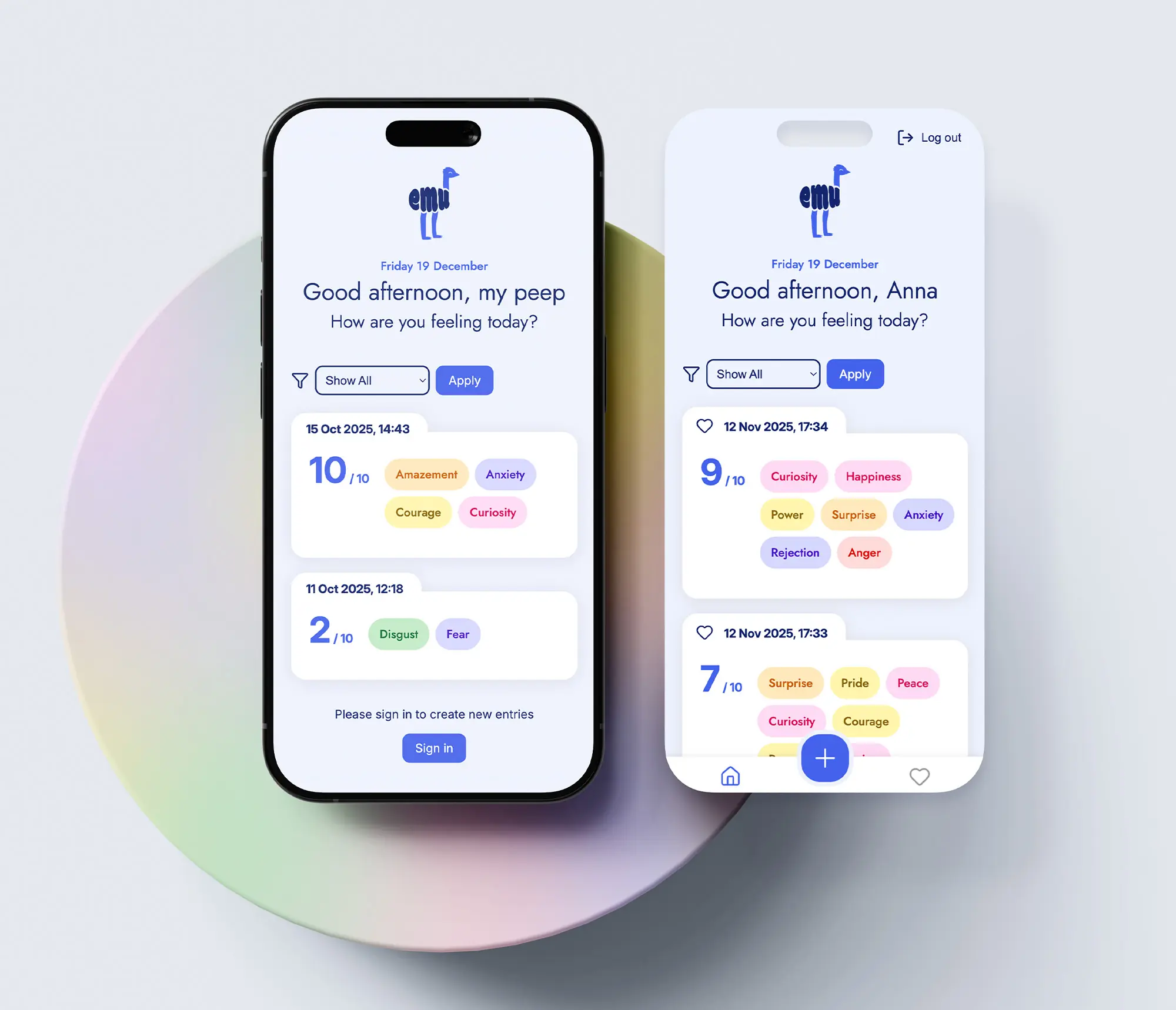
Emu allows users to track and reflect on their emotional entries through a responsive, accessible interface. Logged-in users receive a personalised greeting and can create new entries and bookmark them for easier navigation. The app’s clean design ensures a seamless experience across devices, supporting meaningful emotional awareness and self-reflection.
Alongside equal task distribution and close collaboration through co-coding, I contributed additional expertise in UI design and branding to support a cohesive team outcome.
Fields
Frontend Development
Team
Britta Maier, Rita Macedo

01
Overview
Background
The EMU App is a mobile-first web application designed to help users track, analyze, and reflect on their emotional states over time. Developed as a capstone project during the Neuefische Web Development Bootcamp, it showcases a full range of front- and backend skills.
Minimum Requirements
GitHub Board:
GitHub Kanban board
Draft User Stories before each sprint
Clean Code:
Consistent naming conventions for variables, etc.
Meaningful and understandable variable names
Tech stack:
Next.js
CSS with Styled Components
MongoDB Atlas Database
Vercel Deployment
Mandatory Main Features
Emotion Entries List: Browse a well-organised collection of emotion entries.
Emotion Entry Details: View detailed information about each emotion entry.
Create Emotion Entry: Add new emotion entries, enriching the emotion catalogue.
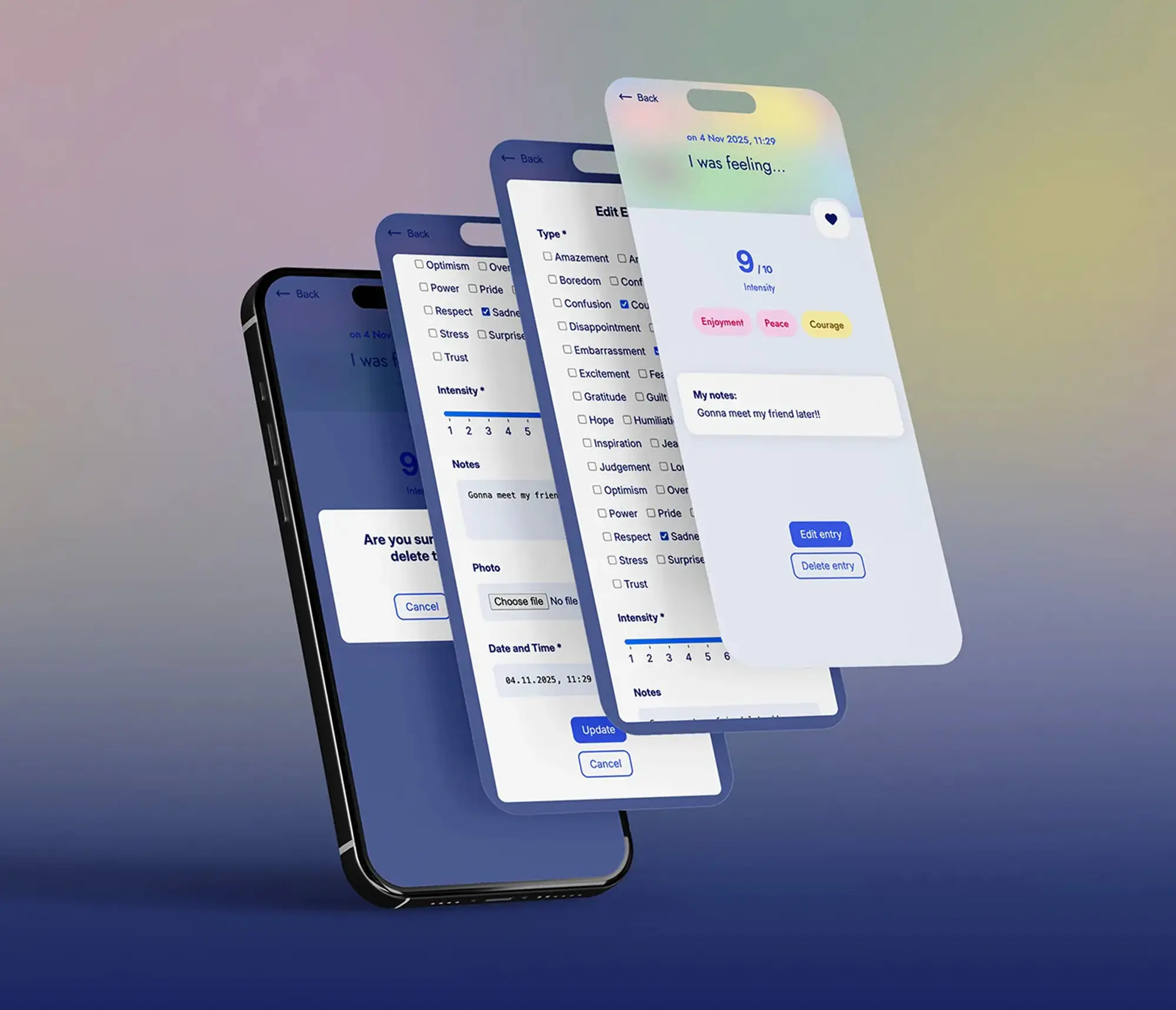
Delete Emotion Entry: Remove outdated or unwanted emotion entries.
Update Emotion Entry: Update and modify existing emotion entries.
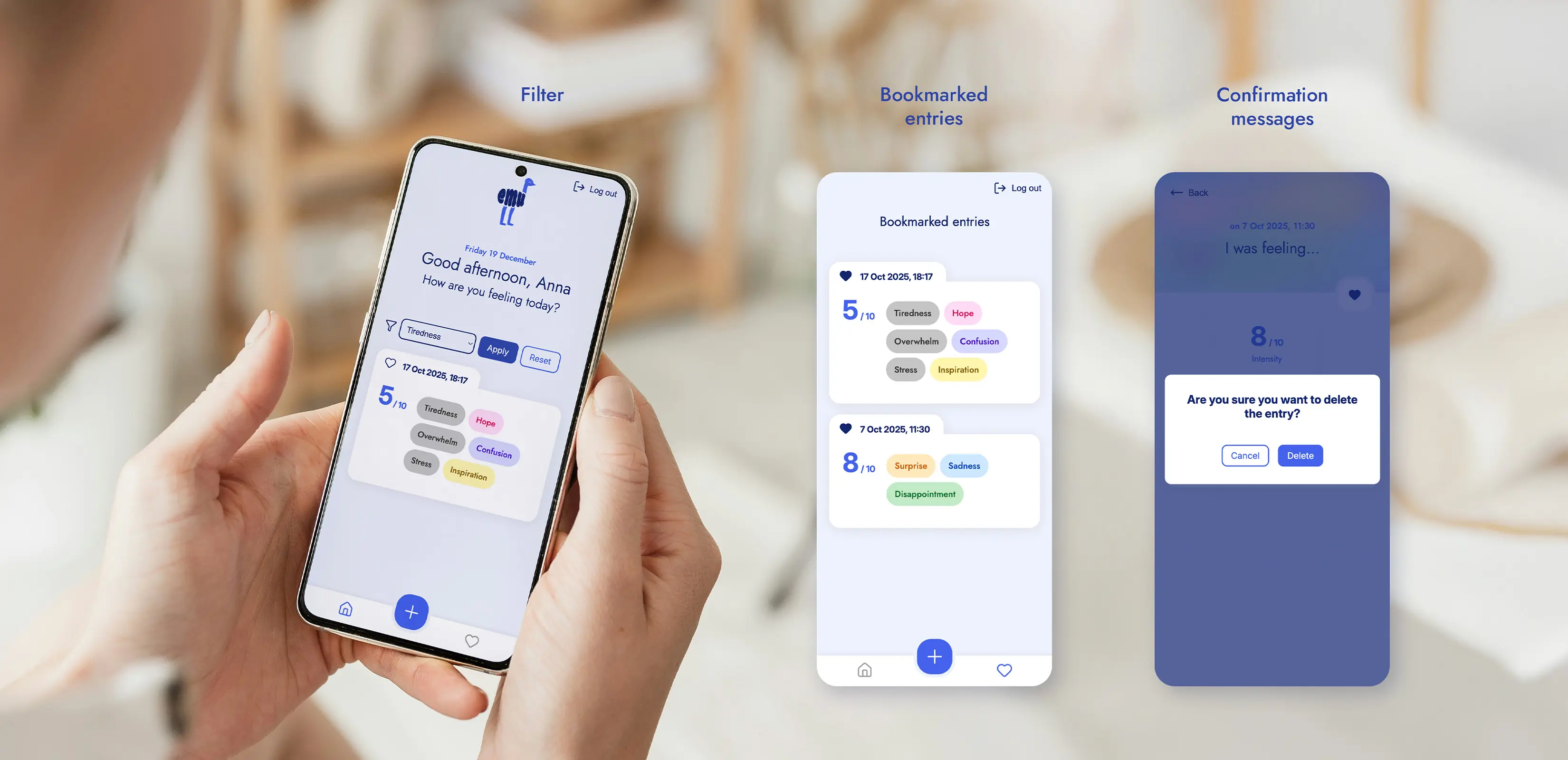
Bookmark Emotion Entry: Save and showcase your favourite emotion entries.
Filter Emotion Entries: Filter emotion entries based on various criteria.

02
Additional features
Next to the mandatory requirements the Emu app features an additional GitHub authentication:
Once logged in via GitHub authentication, users can create, edit, and delete emotion entries. Each entry is stored in a MongoDB database, ensuring that each user only sees their own. In order to add some visual context to their emotional record, users can optionally add images to their entries, which will be uploaded and stored in Cloudinary.
Custom illustrations were created for various edge cases—such as loading states, empty lists, and error messages—to enhance the user experience, add visual personality, and maintain a friendly, consistent interface throughout the app.